Web UI
backmon comes with a small web UI. Open backmon in a browser, e.g. http://localhost:8000/, to see the state of
all monitored backups at a glance and to browse the API.
The web UI is available in backmon 6.2.0 and later. Before, / always redirected to /api.
Only browsers get the web UI on /: requests whose Accept header contains text/html. All other clients, e.g.
curl or scripts, are still redirected to /api. /api and /metrics are not changed by the web UI.
Summary
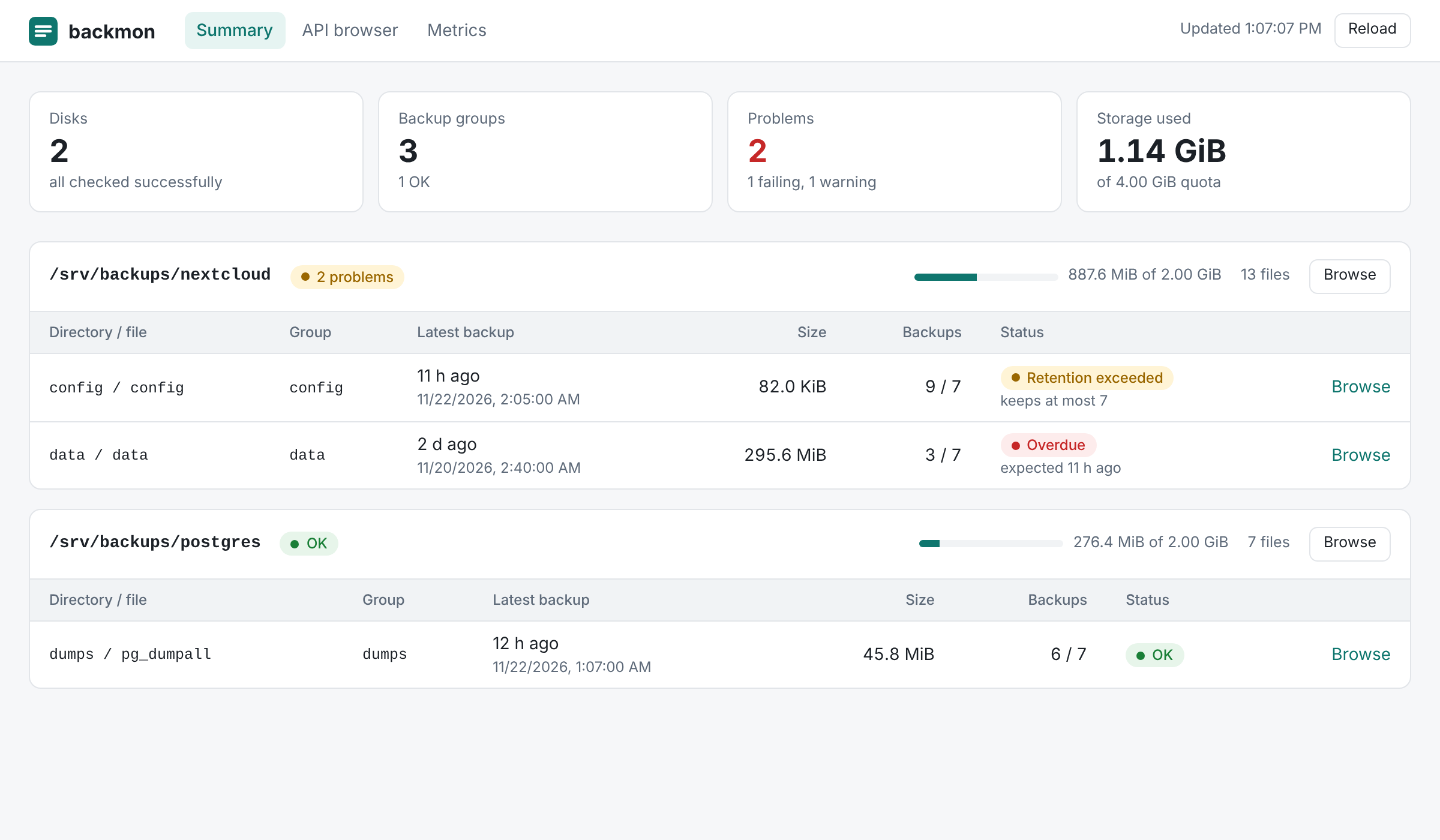
The summary shows
- the number of disks, backup groups and problems, and the storage used by all disks,
- for each disk its status, the used storage compared to its
quotaand the number of files, and - for each group of backup files its latest backup, its size and the number of backups.
| Status | Meaning |
|---|---|
| OK | The latest backup has been created on schedule. |
| Overdue | The latest backup is older than the time the schedule expects. |
| Retention exceeded | There are more backups than retention-count allows; check purging. |
| No backups | No backup file has been found for the group. |
| Check failed (disk) | The backup definitions of the disk are missing or invalid, or its files could not be listed. The log of backmon has the details. |
The summary is built from the metrics and refreshed every 30 seconds, so it shows the same state as
Prometheus. The statuses correspond to the usual alerting rules, e.g. Overdue to
backmon_backup_latest_file_created_at_timestamp_seconds < backmon_backup_latest_file_creation_expected_at_timestamp_seconds.
API browser
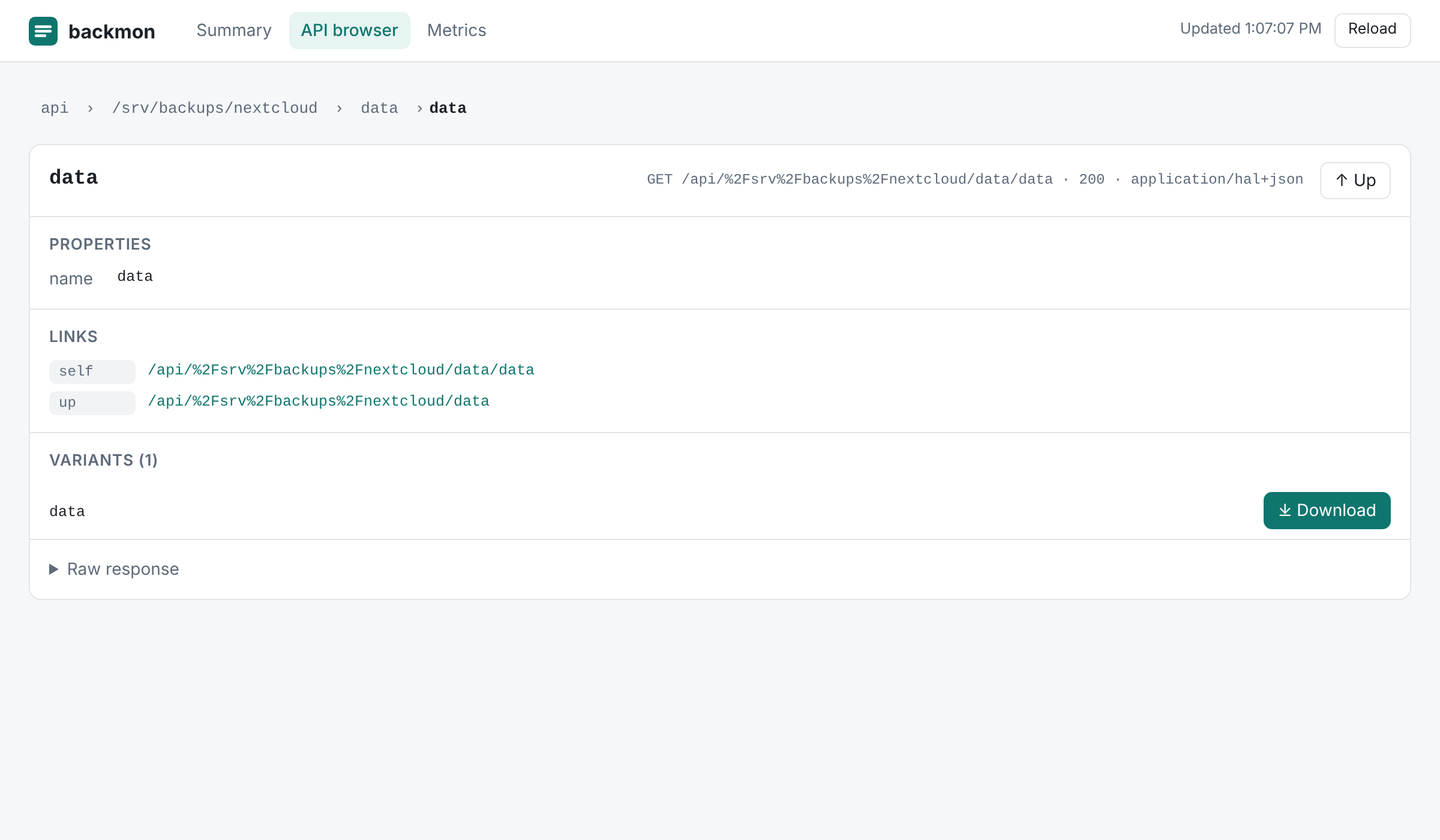
The API browser follows the links of the HAL documents of the API: start at the list of disks and open a disk, a directory and a file. For each resource it shows its properties, links, embedded resources and the raw response.
The variants of a file have a Download button for their latest backup if downloads are enabled with
downloads.enabled in the configuration.
Authentication
The web UI itself has no endpoints and contains no data: the summary reads /metrics, the API browser reads /api.
If http.basic_auth is configured, the browser asks for the credentials as soon as the API browser is opened and
reuses them for downloads. The summary works without credentials, like /metrics.
Running behind a reverse proxy
If a reverse proxy serves backmon below a path prefix, the web UI uses the prefix of the X-Forwarded-Prefix
header like the API; see Running behind a reverse proxy.